
Azure Content Moderator is an Azure Cognitive Service that checks text, image, and video content for material that is potentially offensive, risky, or otherwise undesirable. It combines machine-assisted moderation with human-in-the-loop capabilities to create an optimal moderation process for real-world scenarios.
Case scenarios to analyze content.
- Online marketplaces that moderate product catalogs and other user-generated content.
- Gaming companies that moderate user-generated game artifacts and chat rooms.
- Social messaging platforms that moderate images, text, and videos added by their users.
- Enterprise media companies that implement centralized moderation for their content.
- K-12 education solution providers filtering out content that is inappropriate for students and educators.
What does it include?
Azure Content Moderator service consists of several web service APIs available through both REST calls and a .NET SDK
This API offers:
- Text moderation: Scans text for offensive content, sexually explicit or suggestive content, profanity, and personally identifiable information (PII). That’s what we will test in this article.
- Custom term lists: Scans text against a custom list of terms in addition to the built-in terms. Use custom lists to block or allow content according to your own content policies.
- Image moderation: Scans images for adult or racy content, detects text in images with the Optical Character Recognition (OCR) capability, and detects faces.
- Custom image lists: Scans images against a custom list of images. Use custom image lists to filter out instances of commonly recurring content that you don’t want to classify again.
- Video moderation: Scans videos for adult or racy content and returns time markers for said content.
- Review: Use the Jobs, Reviews, and Workflow operations to create and automate human-in-the-loop workflows with the human review tool. The Workflow API is not yet available through the .NET SDK.
The service response includes the following information:
- Profanity
Term-based matching with built-in list of profane terms in various languages. When you pass text to the API, any potentially profane terms in the text are identified and returned in a JSON response.
-
Classification
Machine-assisted classification into three categories
- Category 1: Potential presence of language that might be considered sexually explicit or adult in certain situations.
- Category 2: Potential presence of language that might be considered sexually suggestive or mature in certain situations.
- Category 3: Potential presence of language that might be considered offensive in certain situations.
-
Personally identifiable information (PII) or Personal Data
Key aspects that are detected include:
- Email addresses
- US mailing addresses
- IP addresses
- US phone numbers
- UK phone numbers
- Social Security numbers
How does the Moderation Review, workflow and jobs work?
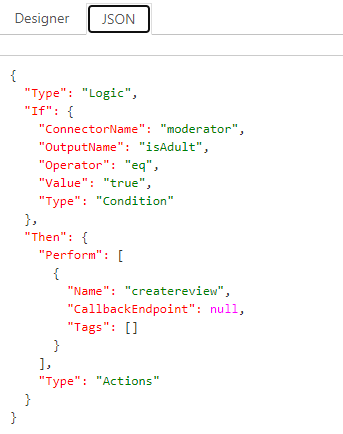
Microsoft provides a review tool. You can use this tool to create a new workflow and define an evaluation criteria and define actions accordingly. Workflows can be completely described as JSON strings, which makes them accessible programmatically as yo can see in the following image.
Once you save your workflow you can view the progress of the workflow in the next popup window.
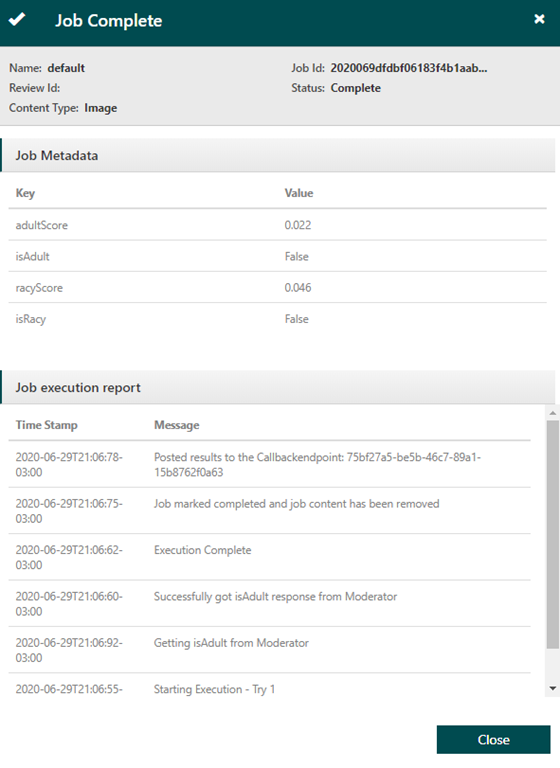
The job scans your content using the Content Moderator text moderation API and then checks it against the designated workflow. ased on the workflow results, it may or may not create a review for the content in the Review tool. While both reviews and workflows can be created and configured with their respective APIs, the job API allows you to obtain a detailed report of the entire process (which can be sent to a specified callback endpoint).
Demo – Create a Cognitive Search Skillset with Custom Skills
First lets create our Content Moderator API.
1. Open up Azure Portal
2. Select +Add and search for “Content Moderator” and select Create
3. Select the name of your subscription, location, i will select S0 as pricing tier, and press Create
Lets Open up Visual studio and clone the following lab
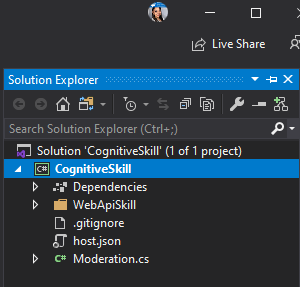
1. Once you open your solution you will have the following.
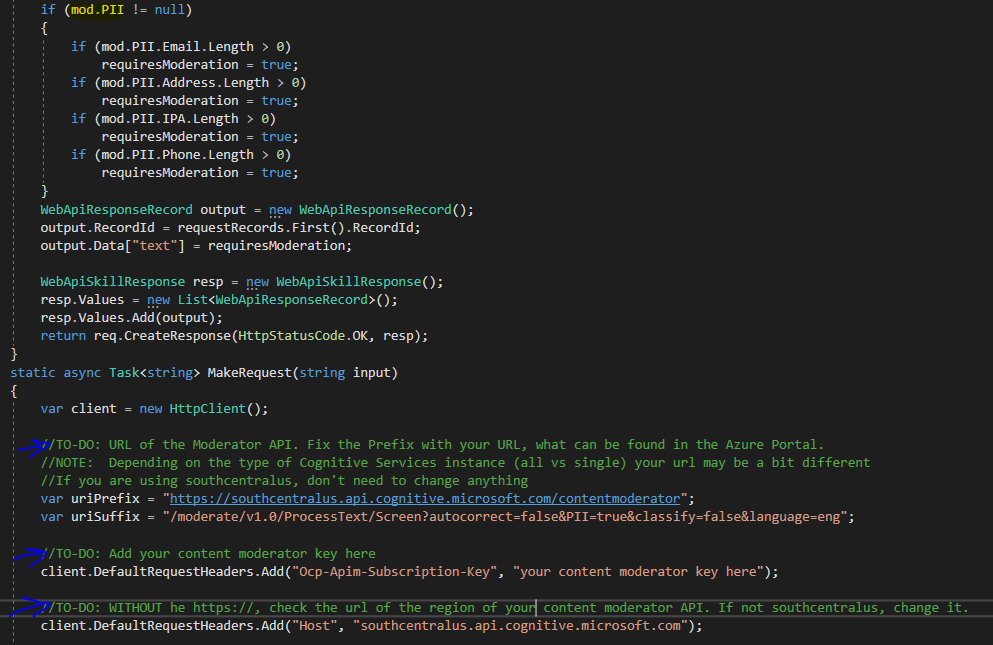
2. Open Moderation.cs to undestand the code we are about to edit. And edit the To-Do areas I pointed with a blue arrow.
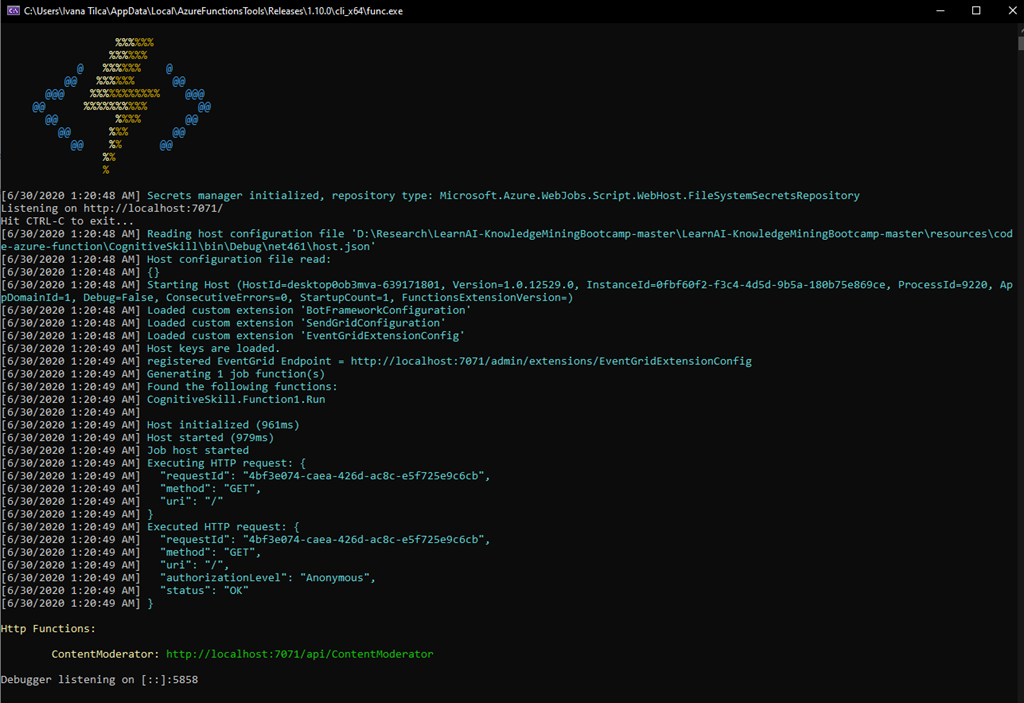
3. Once you edit the code, press F5 you should expect a CMD windows like the following.
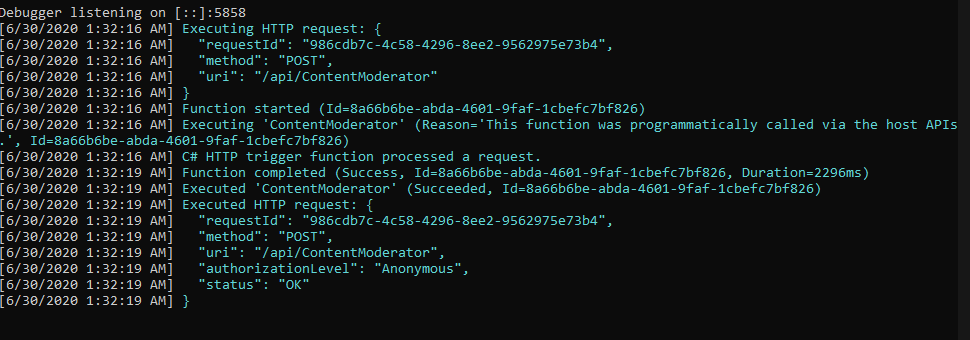
4. Now use Postman without any information in headers tab, to issue a call like the one shown below:

5. Now we have to publish our function to Azure. Right click your project and select Publish. Create a function in case you did not create it yet.
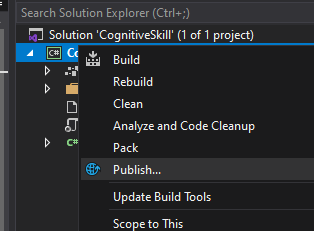

6. Publish your function

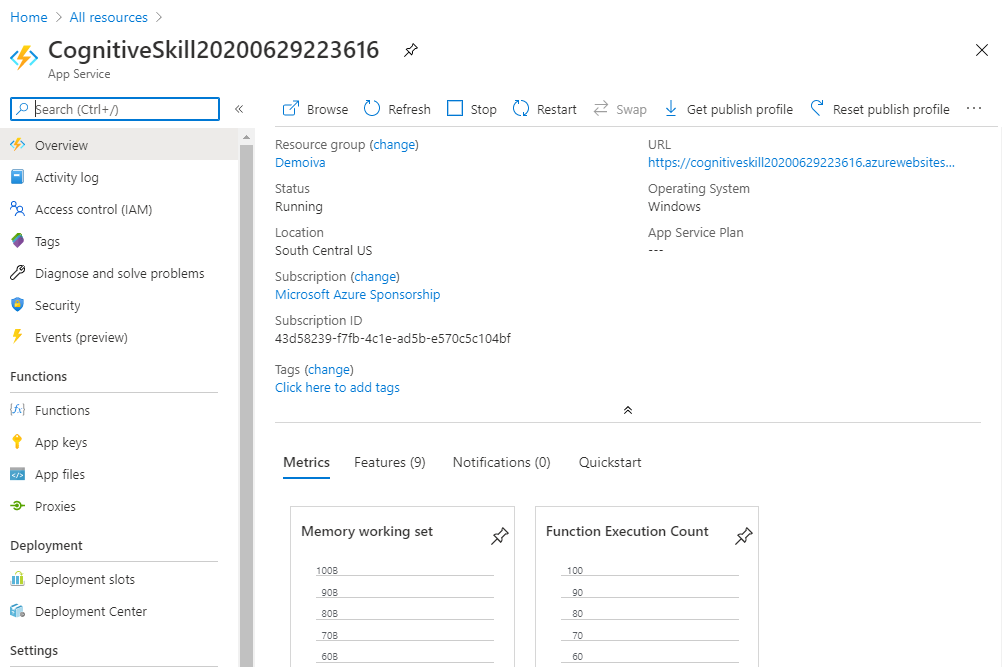
7. Our function is published and ready to be tested
Pricing Details
Free >
- 1 Transaction Moderate > 5000 transactions free per month
- 1 Transaction Review> 5000 transactions free per month
Standard >
- 10 Transactions per second > Moderate, Review
-
-
-
- 0-1M transactions- $1 per 1.000 transactions
- 1M-5M transactions – $0.75 per 1,000 transactions
- 5M-10M transactions – $0.60 per 1,000 transactions
- 10M+ transactions – $0.40 per 1,000 transactions
-
-
-
Conclusion
With the exponential growth of user generated content, it is even more important for businesses to monitor the content that is distributed to their users. In the past, businesses needed to employ human moderators to look at each piece of content, or worse yet, relied on their customers to alert them of content that violated their policies. Both of these methods have their costs. The former has a monetary cost that grows linearly as more content is added. The latter can devalue the organization’s brand and erode customer confidence.
Artificial Intelligence can help to solve this problem, with the use of Content Moderator service.

 Ivana Tilca
Leave a Reply