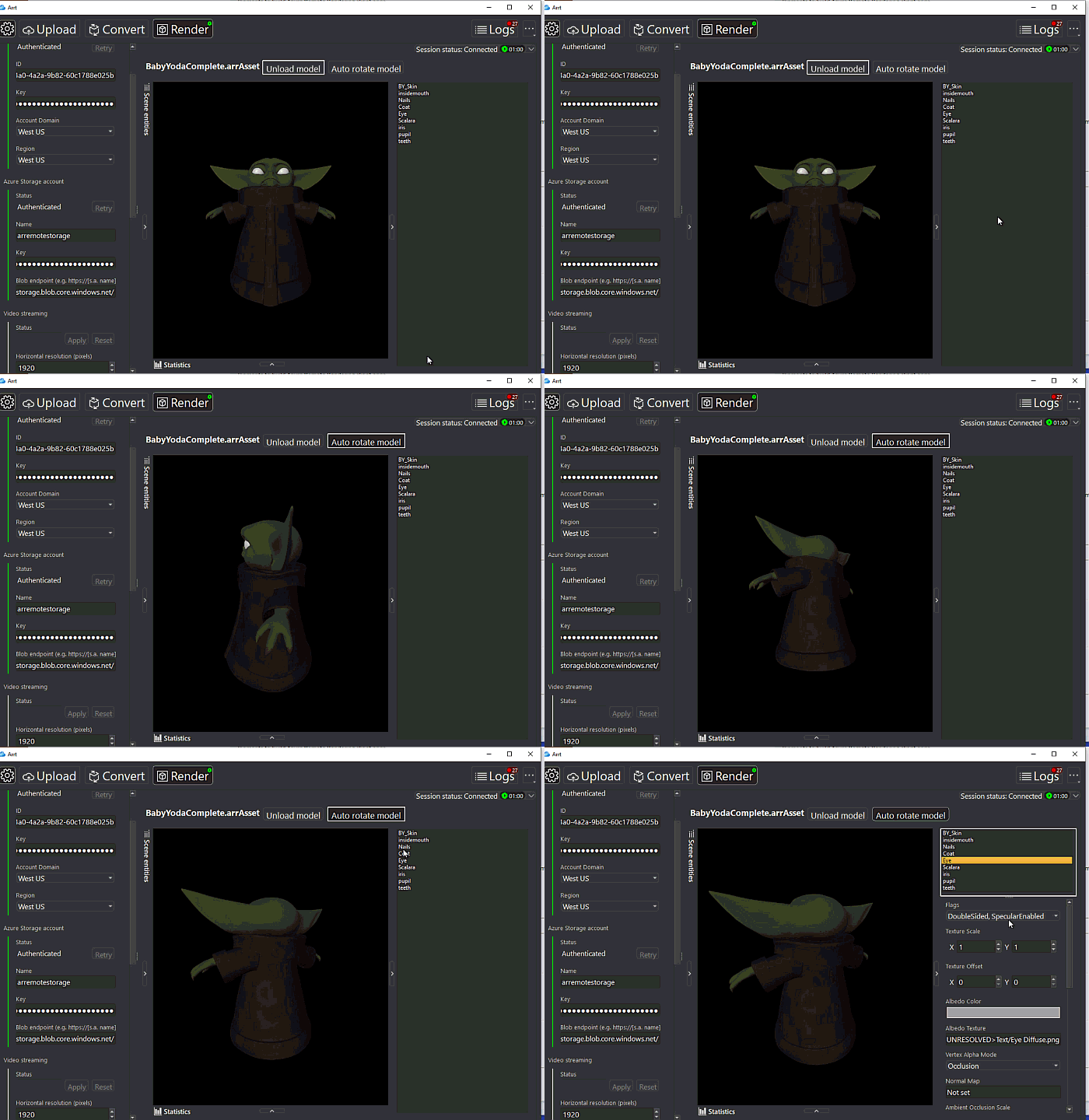
Last week I was trying to see the best way to work with holograms of higher quality and with more layers, since it is very easy to play with a hologram of R2D2 but the potential of XR can be seen more clearly in business scenarios where a hologram can have thousands of elements.
One of the ways (I have not yet defined if it is the best), is the use of the potential of Azure for the processing of Holograms, Azure Remote Rendering can distribute the workload to multiple GPUs.
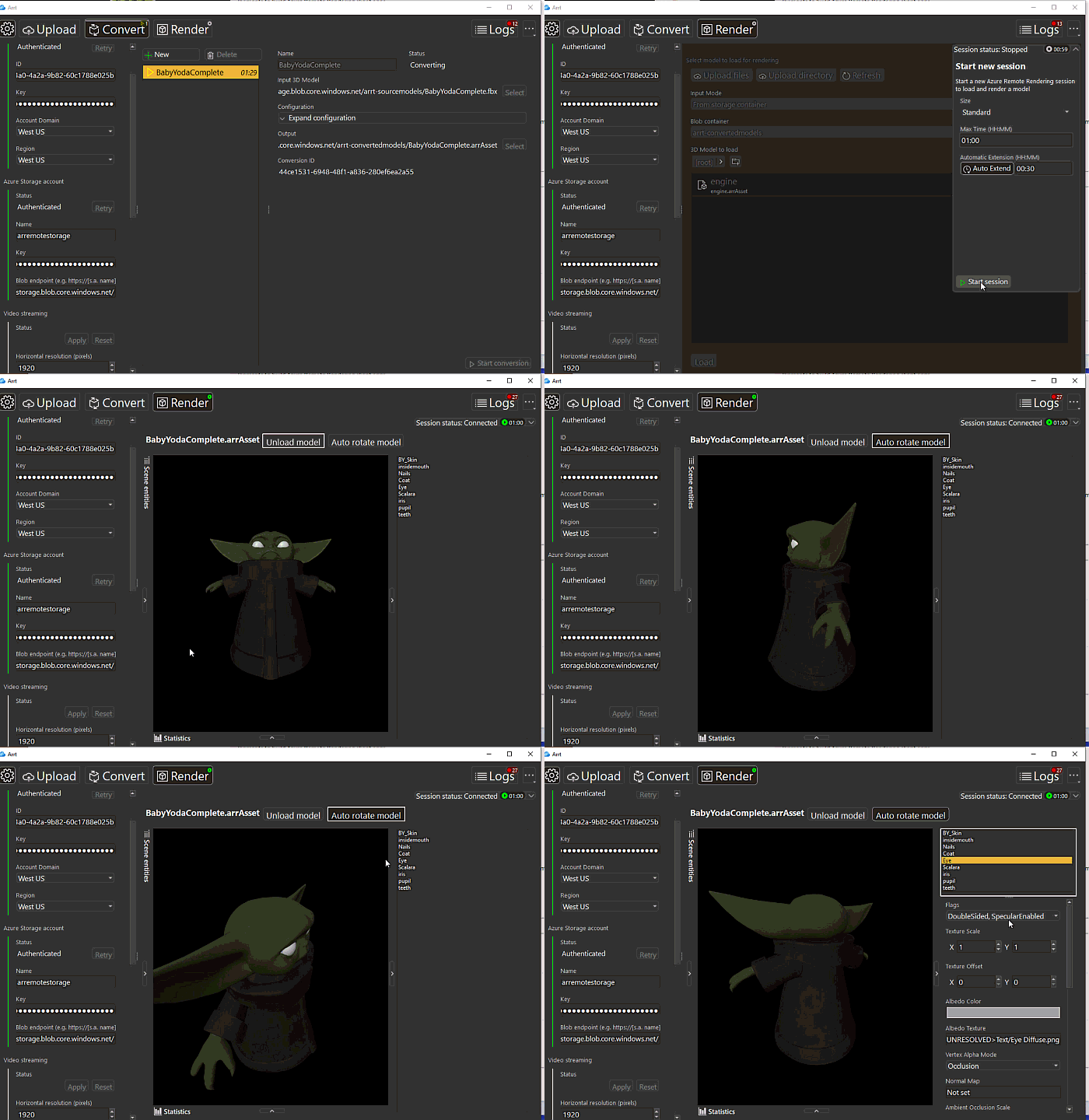
What is ARR – Azure Remote Rendering?
Azure Remote Rendering (ARR) is a service that enables you to render high-quality, interactive 3D content in the cloud and stream it in real time to devices, such as the HoloLens 2.
Remote Rendering solves this problem by moving the rendering workload to high-end GPUs in the cloud. A cloud-hosted graphics engine renders the image, encodes it as a video stream, and streams that to the target device.

¿How does it work?
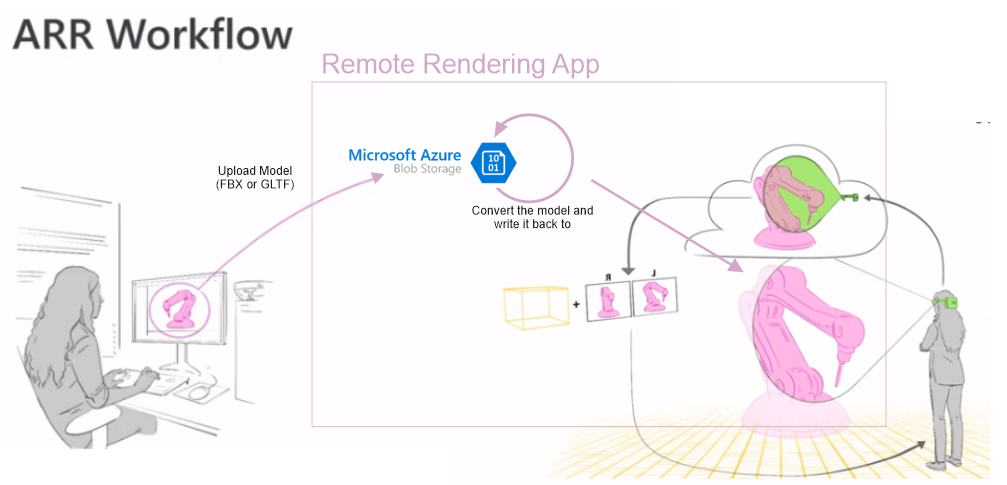
First, you upload your models to Azure Blob Storage (FBX or GLTF), then your application or service calls an API to convert the model into ARR Runtime format (to make rendering as efficient as possible at runtime), once the model is converted, it is written back into your Azure Blob Storage. So you will have both, always in your BS.
When the user is ready to render, the app calls other API to start a rendering server, which is now available to load and render the models. When rendering, the server sends rendered frames back into the application running on the device. Once its there, those frames are composited with any local holograms that you might have in your scene, like buttons.
Azure Remote Rendering (ARR) is optimized for vast numbers of objects (see Limitations).
High-level architecture
The architecture and workflow for Azure Remote Rendering is relatively simple. At its heart is a cloud-hosted render that takes data from a design workstation. Once that is uploaded, a client API running on the target device uses a scene graph to predict where the user viewpoint is going to be and sends that data to the cloud service. The service uses the data to manage the remote rendering service, farming the rendering process across Azure-hosted GPUs. Spinning up a server for the first time can take some time, and any code will need to be aware of the session status to prevent user confusion. As part of the session configuration, set a maximum time for a lease so sessions will automatically be cleared if an application crashes. In normal circumstances your application will close a session cleanly when it exits. There is an option to reuse sessions to reduce startup delays. You can keep a small pool of sessions running, connecting to an available session when you launch an application and loading a new model when you connect. Once the service renders the scene, data from all the GPUs constructs an image which is then streamed down to the client device. The client merges the image with its local UI and content before displaying it the user. Once a 3D image is downloaded, you can start interacting with it, using familiar HoloLens development tools and environments to build Azure Remote Rendering client apps.
Supported source formats
The conversion service supports these formats:
- FBX (version 2011 to version 2020)
- GLTF/GLB (version 2.x)
Requirements
- Your HoloLens 2 or PC App
- A network with a Wi-Fi bandwidth of at least 2.4 GHz
- A stable Internet connection with 50 Mbps download and 10 Mbps upload
Performance
There are many reasons why the performance of Azure Remote Rendering may not be as good as desired. Apart from pure rendering performance on the cloud server, especially the quality of the network connection has a significant influence on the experience.
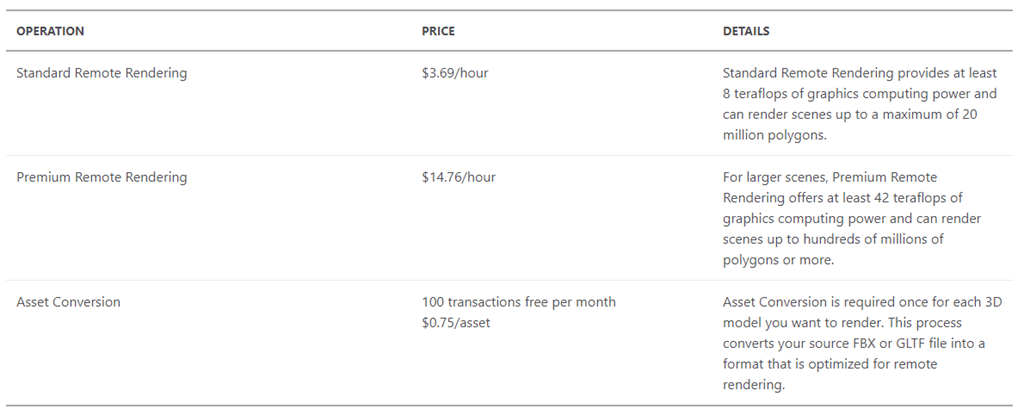
How much does this service cost?
Read more here.

 Ivana Tilca
Leave a Reply