If you’re a Unity developer (or any developer), you might need a tool to help you analyze your code to locate security issues, bugs, vulnerabilities, smells, and general issues. Of course, you can always do this in an old-fashioned, manual way, but nowadays there are code scanner tools, which scan the code to find vulnerabilities. There are some nice tools for visualizing and managing code quality. One of the most used tools is SonarQube, which supports 25+ languages and has flexible configurations of the rules. But before getting into the tool, let’s understand a bit about code quality.
Why do you need to pay attention to Code Quality?
Code quality is not a new parameter for code, it has been since 1970. Here are some of the most important bullet points (for me), on why it is important to consider it during all software development.
- Making software robust: High-quality software has clear and understandable error messages for end users.
- Quality code – Code quality control is an inseparable part of the process of software development.
- Sustainability – Reduces complexity, possible vulnerabilities, and code duplications, optimizing the life of applications.
- Increasing readability and ease of editing – Good quality of code makes sure that codes are written in such a way that makes them highly readable. Reduces the scale, cost of maintenance, and risk of the application.
- Detect Errors – Detects errors in the code and alerts developers to fix them automatically before submitting them for output.
- Improve developer skills – Regular feedback on quality problems helps developers to improve their coding skills
What is SonarQube and why should you use it?
SonarQube is a web-based software that does an outstanding job of empowering developers to write cleaner, safer code. We are talking about an open-source platform for continuous inspection of code quality to perform automatic reviews with static analysis of code to detect bugs, code smells, and security vulnerabilities on 20+ programming languages.
The main reason why I suggest using SonarQube, is to ensure we’re writing quality code. To have a common standard for coding, removing the typical ambiguity associated with “coding best practices.”
SonarQube Setup for Unity
There are not enough resources talking about static code analysis for Unity, and I was trying to incorporate SonarQube into my workflow, I got really good results, so I thought I needed to share this. First of all, I am on Windows 11 Preview (you can also use Windows 10), using Unity, Visual Studio, Visual Studio Code, and SonarQube.
This post covers steps to configure SonarQube and use it for scanning Unity projects.
Prerequisites:
The only prerequisite for running SonarQube is to have Java (Oracle JRE 11 or OpenJDK 11) installed on your machine. You can download this it here: https://www.java.com/en/download/help/path.xml.
Server Setup
- Download SonarQube, i am using Community Edition which is Free https://www.sonarqube.org/downloads/
2. Unpack the zip, I suggest to install it under c: directory.
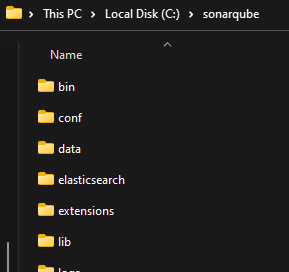
3. Start the Sonar Server. Open up your console and execute:
C:\sonarqube\bin\windows-x86-64\StartSonar.bat


4. Once the instance is up and running, Sonar Server is ready to be used at http://localhost:9000 with credentials admin/admin
5. Under Quality Profiles, copy the C# profile.
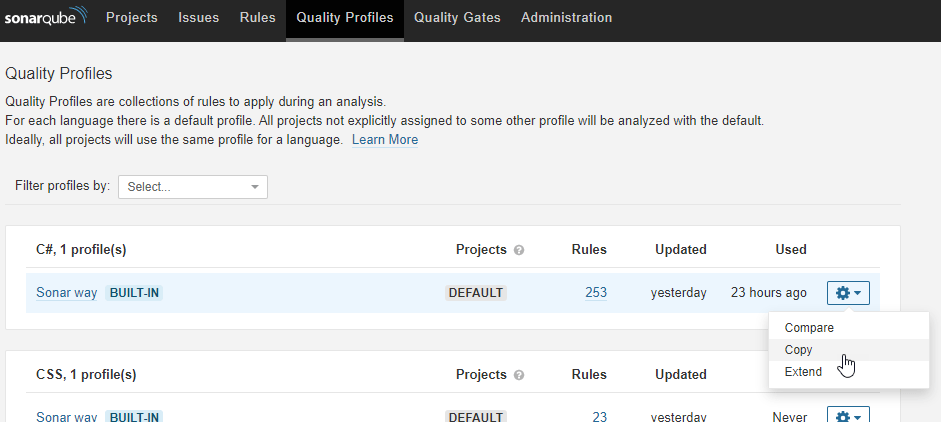

6 . Make your new profile the default one.

8. Set up your first project on Sonar Qube. Click create + on top right

It will ask you for the token which may be used to securely run the analysis on the sonar server. For now, leave it at this step, we will use user credentials admin/admin for simplicity.
Sonar Scanner Setup
The SonarScanner is the scanner to use when there is no specific scanner for your build system. It will analyze the code against the rules on the sonar server and then push the reports to the sonar server.
1 . Download Sonar Scanner from SonarScanner | SonarQube Docs
2 . Unpack the zip I would suggest to add it inside the sonarqube folder under your c directory.
3 . Add the /bin directory to your PATH / Path.

Sonar setup is ready, let’s analyze a Unity Project.
Analyze your XR Unity Project
Follow the below steps :
- Goto project root
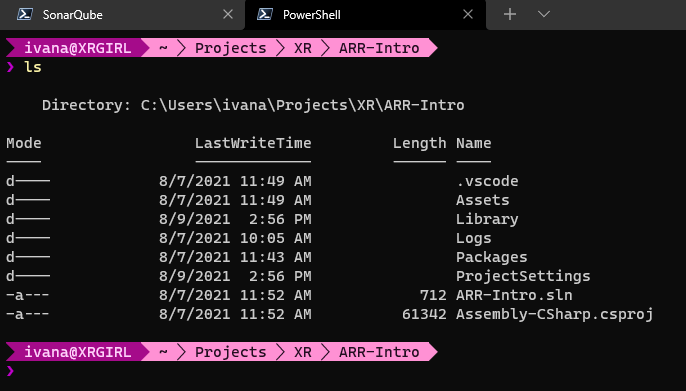
2. Start Sonar Scanner on we can directly run dotnet sonarscanner begin /k:"projectName" /d:sonar.host.url="localhost:9000" /d:sonar.login="projectKey"

3. Rebuild your Project. Make sure you select the *.sln file dotnet build projectName.sln

4. Finally scann dotnet sonarscanner end /d:sonar.login="projectKey"

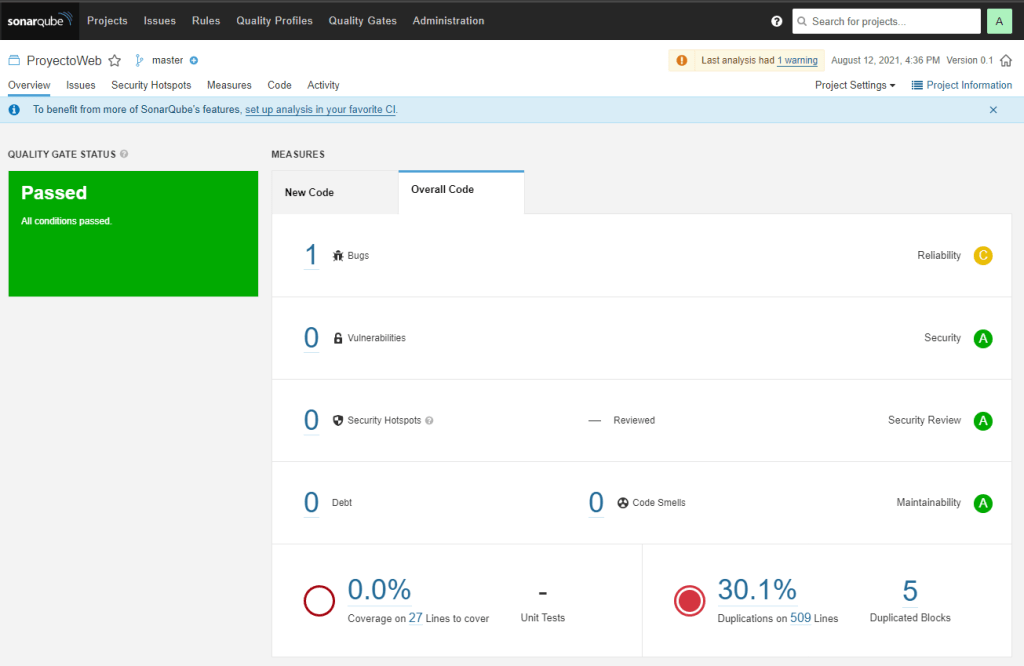
5. Analyze code on Sonar Server http://localhost:9000
Conclusion
In this post, we have learned to set up Sonar Server and Sonar Scanner and using it for Unity Projects. The next post talks about setting it up for IDE and performs inline code analysis.

 Ivana Tilca
Leave a Reply