
What started as an exciting preview at Ignite 2024 has now blossomed into a game-changing tool: GitHub Copilot for Azure is officially Generally Available (GA)! 🎉
Now, with GA, it’s time to unlock the next evolution: Agent Mode. 💡
What’s New in the GA Release?
With this release, GitHub Copilot for Azure is now enterprise-ready, offering features that’ll have you saying “DevOps who?”
- 👨💻 Visual Studio Code Integration: Work in your comfort zone with seamless Copilot support.
- 🔗 Smart Azure Context: Suggestions are based on your real Azure resources.
- 🤖 Agent Mode: Copilot now orchestrates full workflows—not just code snippets!
- 🔐 Security & Compliance: Enterprise-grade protections built-in from the start.
Agent Mode
Imagine Copilot as a clever teammate who’s always on and ready to collaborate. Agent Mode turns that vision into reality—breaking down complex DevOps tasks, executing multi-step workflows, and interacting directly with your Azure setup (with your go-ahead, of course!).
Here’s what you can do:
- ✍️ Generate Azure-friendly code using best practices
- 🧱 Build and tweak infrastructure-as-code templates
- 🚑 Deploy apps and troubleshoot in real time
- 📊 Check resource health, certificates, and settings
Try prompts like:
🗂️ “Show me all Azure storage accounts by region”
🧠 “Create a Bicep template for a storage account in West US”
🔀 “Update the template to move the account to East US and rename it cleanly”
🚀 “Deploy it using the Azure Developer CLI!”
Getting Started is Easy
- Install GitHub Copilot for Azure from the VS Code Marketplace.
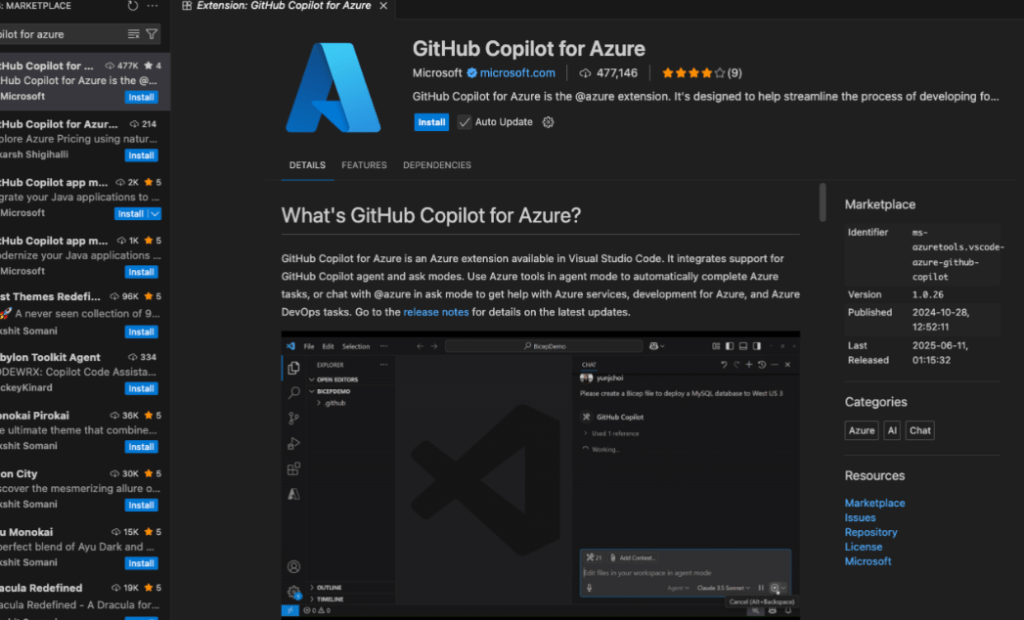
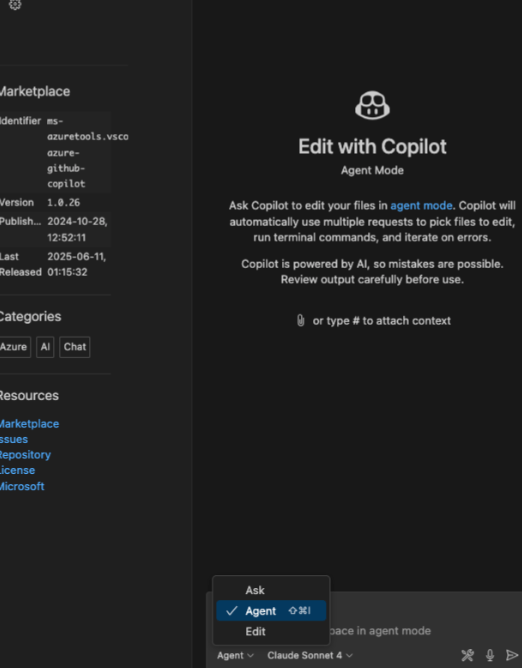
2. Open Copilot Chat and activate Agent Mode
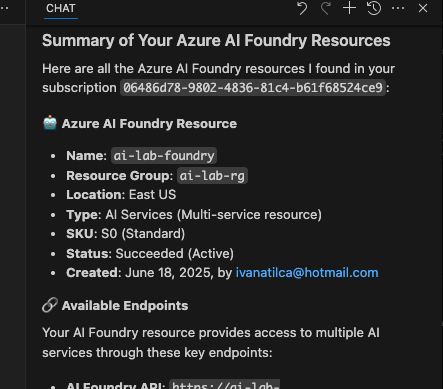
3.Start typing Azure-related requests in plain language
4. Sign in and approve access when prompted
5. Let the AI handle the heavy lifting!
The Future of Cloud Dev is Here
With its agentic capabilities now fully unleashed, GitHub Copilot for Azure brings you smarter development, streamlined operations, and a powerful new way to build on the cloud with less stress and more results. 💼💡
Ready to rethink what’s possible with DevOps?
Let’s build something brilliant.

 Ivana Tilca
Leave a Reply