
Hey there! 👋 If you’re reading this, it’s probably because you want to contribute to a project on GitHub—maybe you spotted a broken link, found a bug, or just had a cool idea to improve someone else’s code. That’s awesome! A lot of people have asked me how to get started, so I decided to write this super simple guide that anyone can follow—even if you’re brand new to GitHub.
Let’s break it down step by step
Before You Start: What Should You Check?
Once you’ve found a project you’d like to contribute to, take a moment to read through a few key documents. These will help you understand the rules and expectations of the project:
- Licence: If you don’t see an open-source license, then—even if the code is public—you’re not legally allowed to copy, modify, or use it in your own projects. Always check for a license!
- Readme: This is usually the main page of the project. It explains what the project does, how to use it, and sometimes how to contribu.
- Contributing: If the project has a file called
CONTRIBUTING.md, read it! It tells you exactly how to contribute—what steps to follow, how to format your code, and more

Want to Fix a Bug or Add a Feature? Here’s what to do:
✅ If the bug or feature already exists:
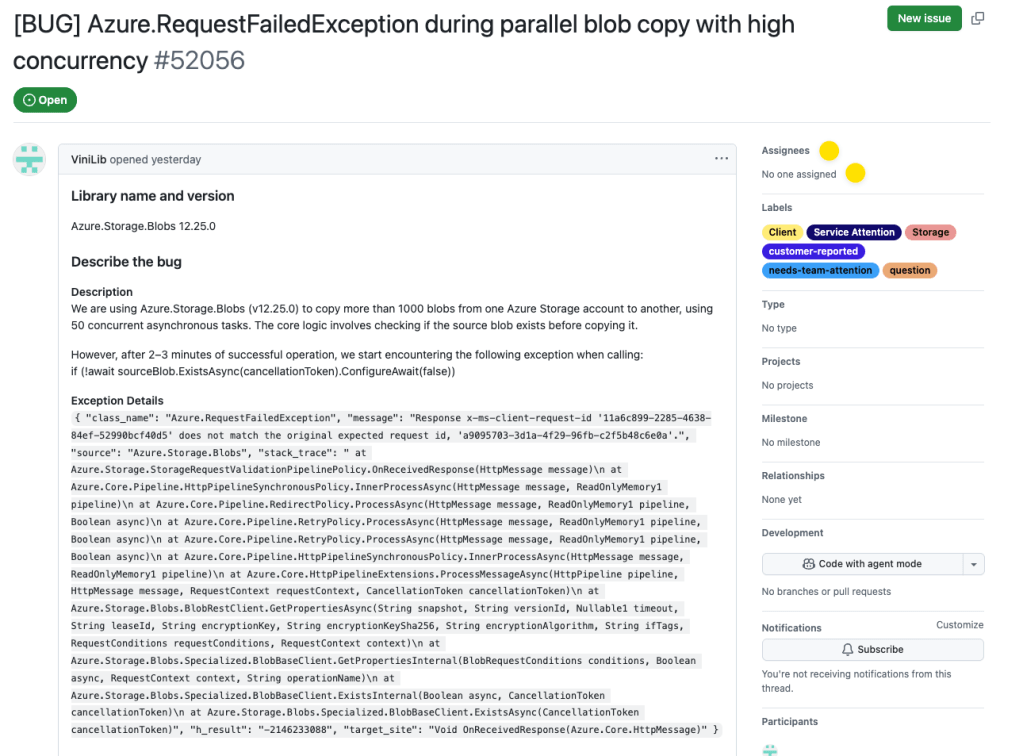
If it’s empty, you’re good to go! Leave a comment saying you’d like to work on it. Check if someone is already working on it. Look at the “Assignees” section of the issue.
If it’s a brand-new idea:
If it’s a new feature, wait for approval before starting work. Create a new issue to describe the bug or feature. Follow the issue template if the project has one.
Requirements: What You Need on Your Computer
Before you start coding, make sure you have:
- Git Installed (https://git-scm.com/)
- You need the Git command-line tool.
- To check if it’s installed
git --version
- Terminal or Command Prompt
- On macOS/Linux: use Terminal.
- On Windows: use Command Prompt, PowerShell, or Git Bash (comes with Git).
🚀 Let’s Go! Step-by-Step Contribution Guide
Ok you are now ready to start.
1 – Fork the Repository Go to the GitHub page of the project and click the “Fork” button. This creates a copy of the project in your own GitHub account.
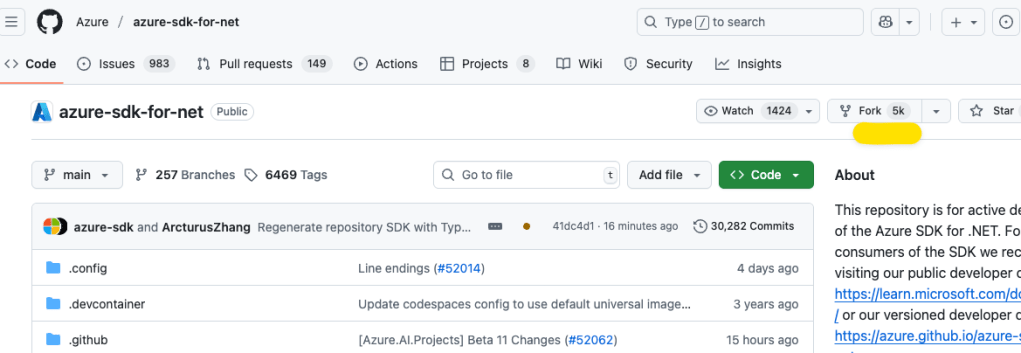
Click “Create fork”

2 – Clone Your Fork On your forked repo page, click “Code” and copy the HTTPS URL.

Then run this command in your terminal:
git clone <respository url>
3 – Create a New Branch This keeps your changes organized.
git checkout -b <branch name>4 – Make Your Changes and Commit Them
git add .
git commit -m "<message>"
5 – Push Your Changes to GitHub
git push --set-upstream origin <branch name>6 – Open a Pull Request Go to your GitHub repo and click “Compare & pull request”.

7 – Fill Out the Details Update the title and description. If the project has a pull request template, be sure to follow it. Click “Create pull request”.
🎉 You Did It!
Congratulations—you just made your first contribution! Whether it’s fixing a typo or adding a new feature, every bit helps. Keep going, keep learning, and most importantly: enjoy the journey.
Happy coding! 💻✨

 Ivana Tilca